Accessing
the Email Control Panel
1.
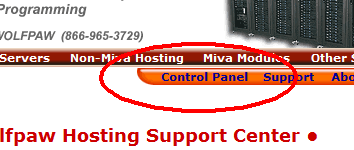
Click on 'Control Panel' in the navigation bar at the
top of any page in the Wolfpaw website.
2.
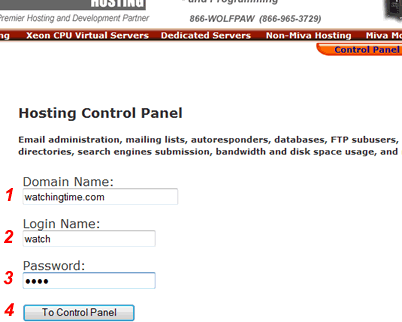
Enter the domain name, login name and password for your
website and click 'To Control Panel'.
3.
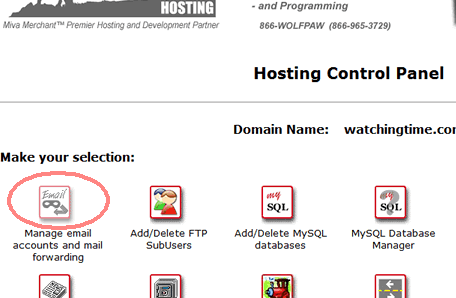
If successful you'll see the Hosting Control Panel. Now
click on 'Manage email accounts and mail forwarding'.
4.
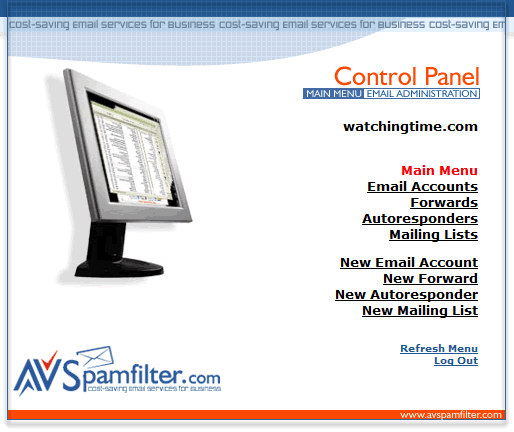
You're now at the Email Control Panel and can manage your
email accounts.
Return
to Support



