Configuring Spam Preferences - Accessing the Spam
Control Panel
The
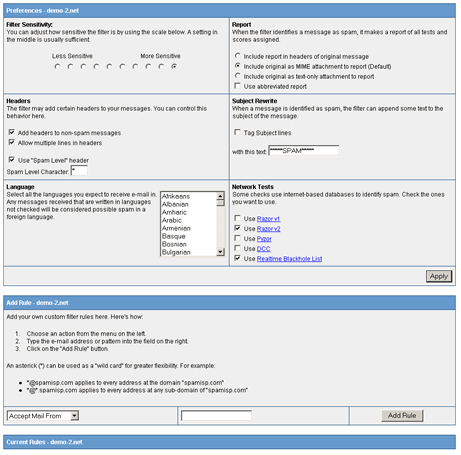
Spam Preferences Control Panel lets you:
- Adjust
the sensitivity of the spam filter
- Define
the languages you are willing to accept
- Select
network blocking lists
- Format
the spam reporting in your email headers
- Create
blacklists of email addresses that will always be considered
spam
- Create
whitelists of email addresses that will never be considered
spam
1.
From the Email Control Panel select Email Accounts and
then click on the modify icon for the user whose spam
preferences are to be adjusted.
2.
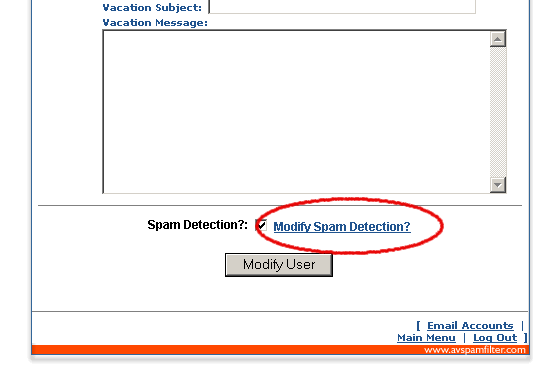
At the bottom of the Modify User panel click on 'Modify
Spam Detection'. Note: Make sure 'Spam Detection?' is
checked.
3.
The Spam Preferences Control Panel appears in a new window.
Return
to Support



